

Cryptocurrency is a convenient way to make a deposit. It allows you to transfer funds within 5 minutes. One way to send cryptocurrency is through a cryptocurrency exchange.
Bybit is the largest cryptocurrency exchange available in Russia and the CIS countries around the clock. You can use the exchange via its website or mobile app. The platform lets you buy and sell cryptocurrency, as well as deposit funds on our website.
We've put together a guide to buying cryptocurrency in the Bybit app.
Article navigation:
Registration
Download the app Bybit from the app store (Google Play or the App Store) and tap “Register / Log In”.
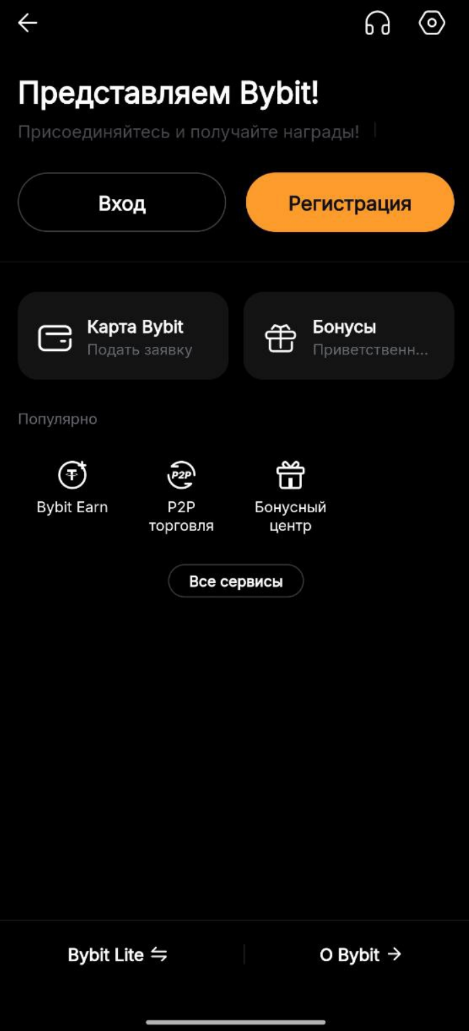
You can register in one click using your Google or Telegram account, or by using the standard email/phone number and password method.
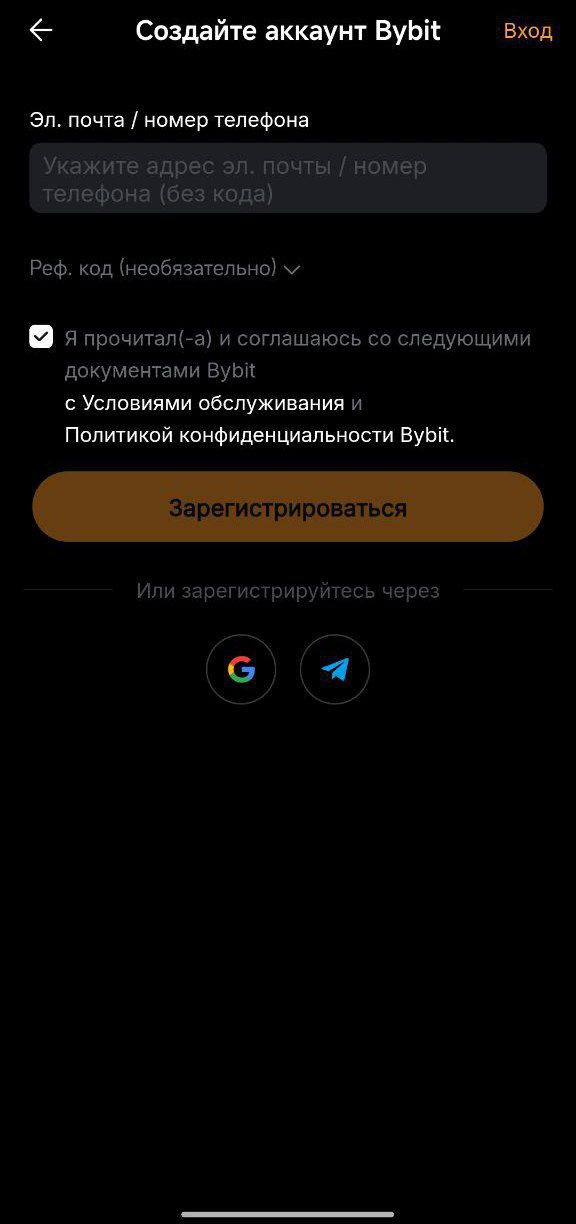
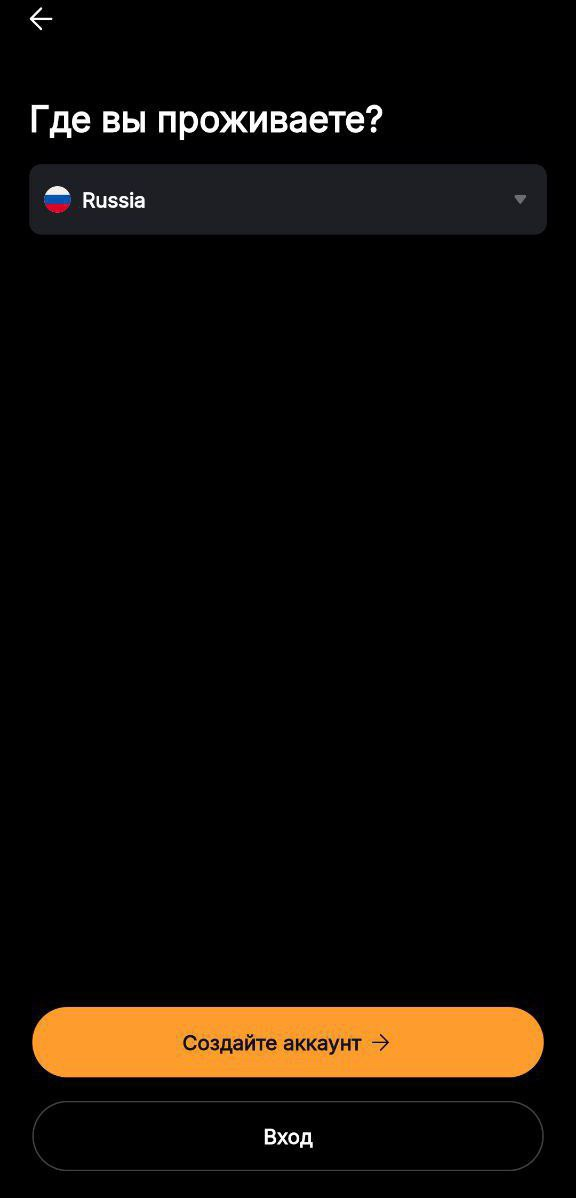
2. Select your region of residence — this will determine the region for P2P trading.
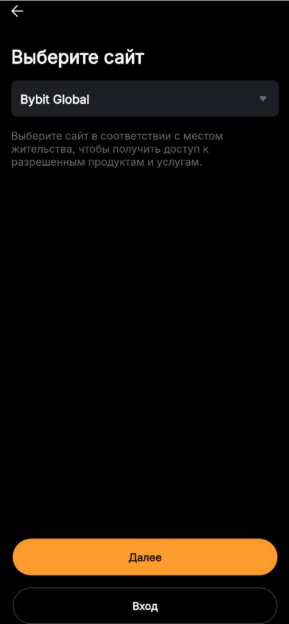
Next, you will need to select a website. Always choose “Global” to access all the app's features.
3. You will be prompted to verify your identity using the KYC process. You can skip this step and explore the interface first.
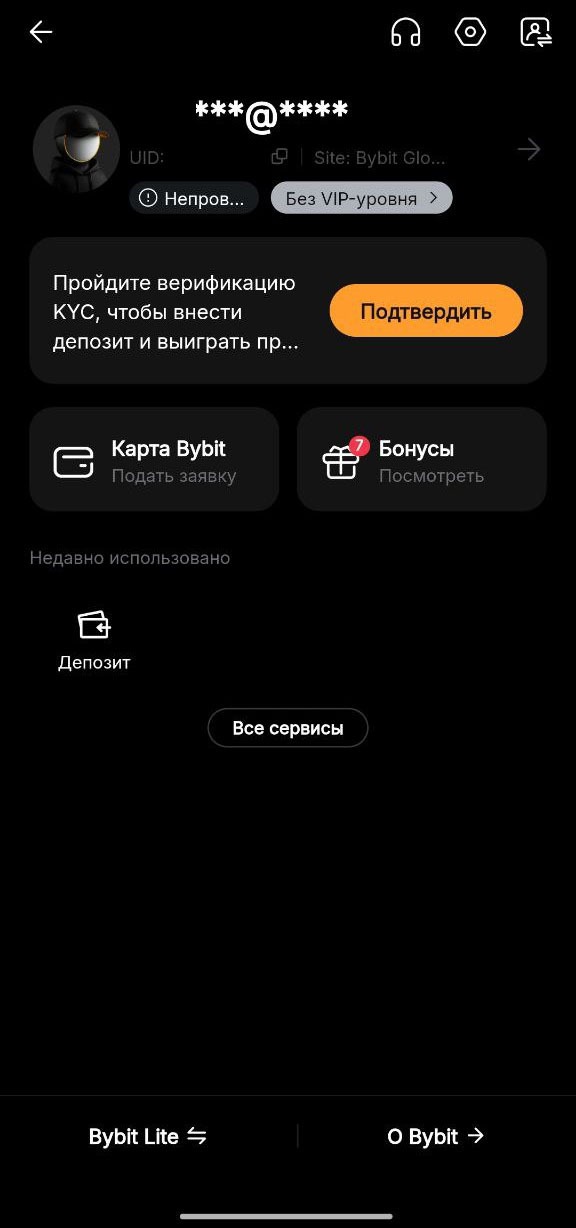
4. Verification is required to buy and sell cryptocurrency, so please complete it.
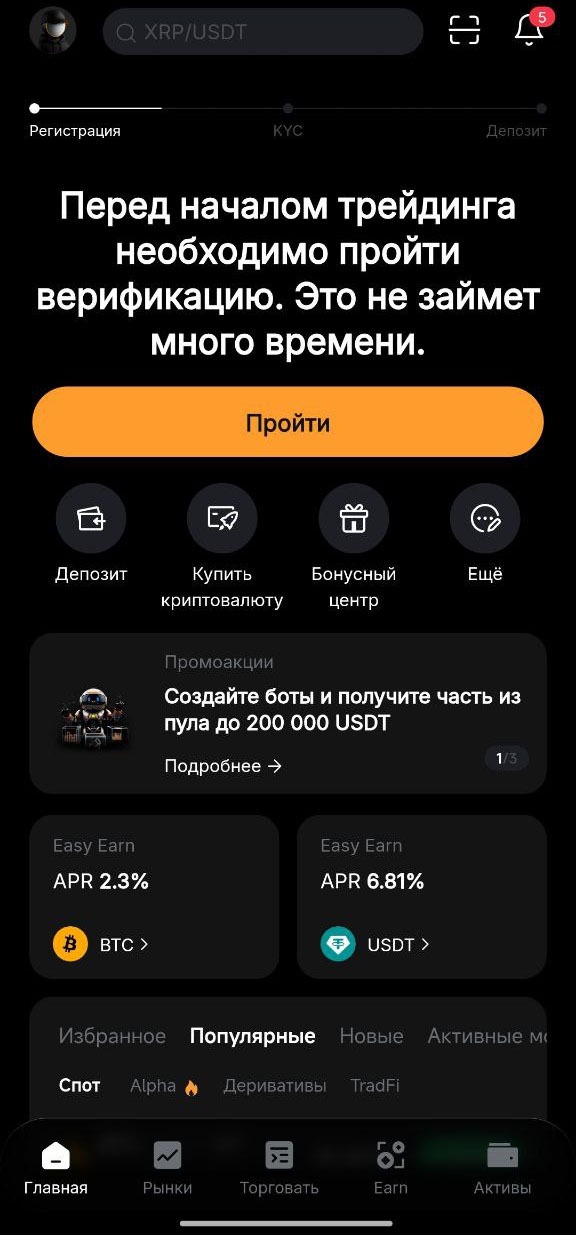
Simply upload your passport and wait for confirmation (provided the document photo is of good quality, the process takes no more than 5 minutes).
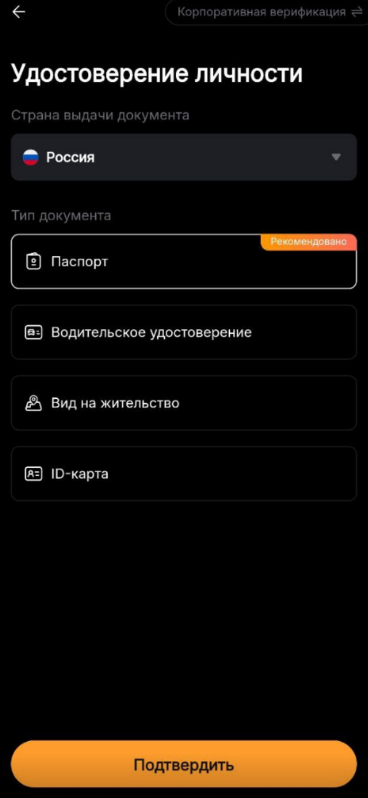
Your documents are securely encrypted and used only for verification, helping to keep your account as safe as possible.
Account security
5. We recommend setting up two-factor authentication right away to protect your account.
Without this, withdrawals from your wallet are restricted. You can improve your security in various ways, but Google Authenticator is the safest and most convenient option.
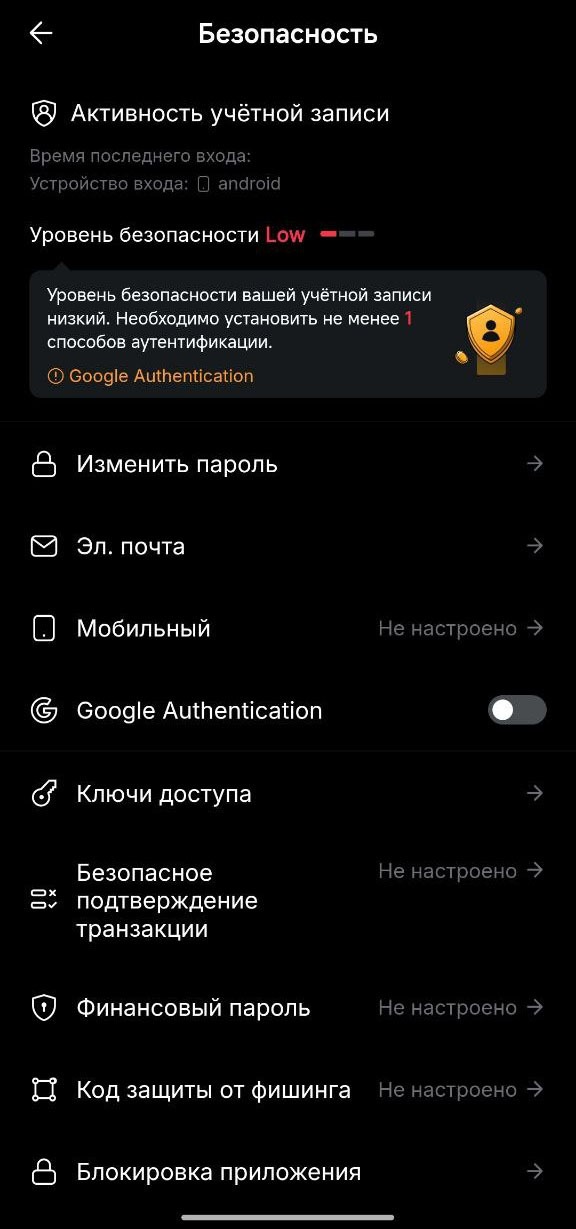
6. Tap the “Google Authenticator” tab. You will receive a notification at the Google email address you provided.
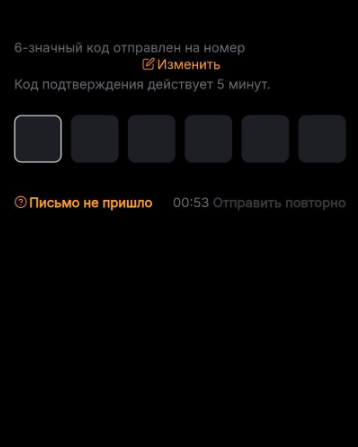
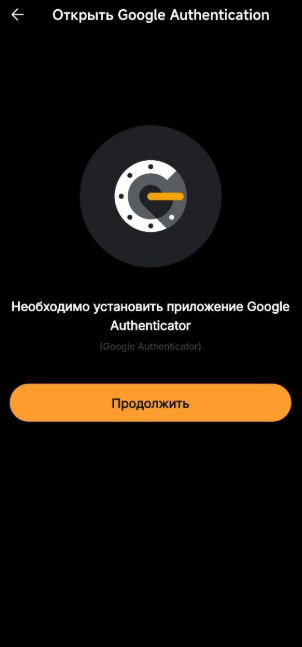
7. Download the Google Authenticator app from the app store if you haven't installed it yet.
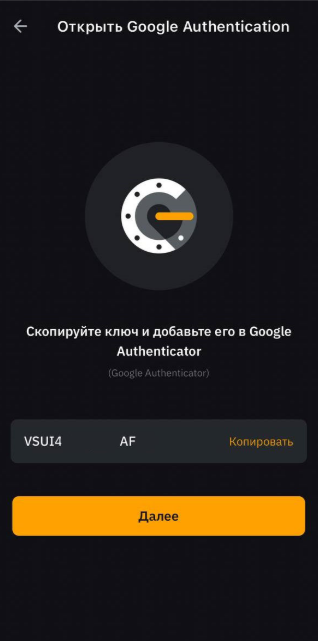
8. Copy the key you received and paste it into the Google Authenticator app to complete the setup.
9. Enter the details in the authenticator: the name “Bybit pass” and the key you copied.
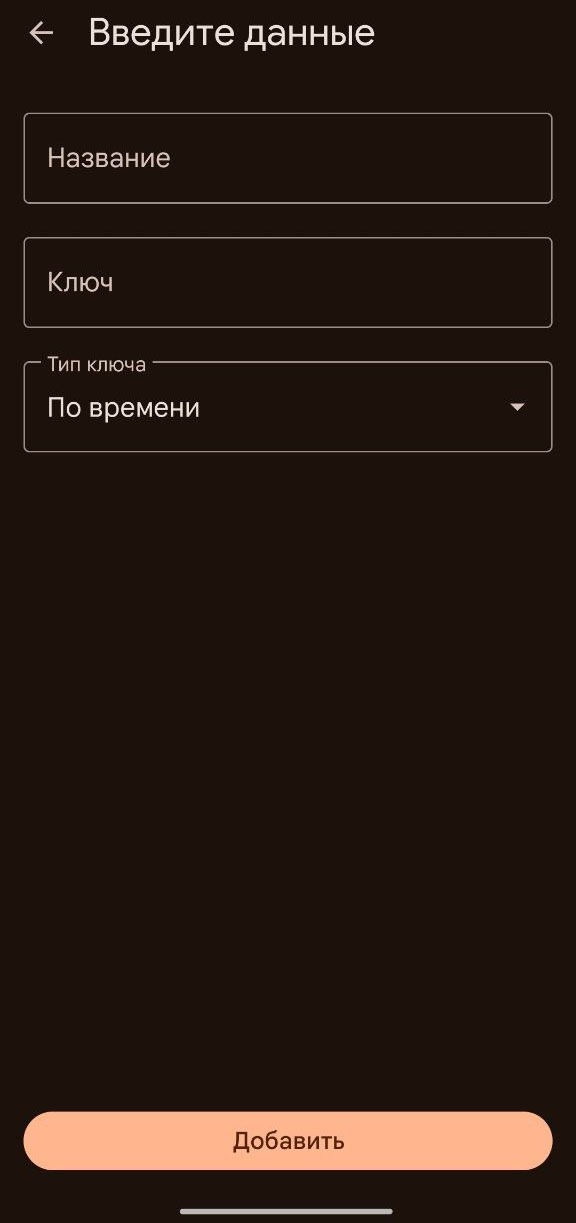
10. Tap “Add,” then copy the 6-digit key you receive and paste it into the “Bybit» to complete the two-factor authentication setup.
Your account is now ready and fully protected, so you can safely make P2P transactions.
Buying cryptocurrency
Go to the “Deposit” section.
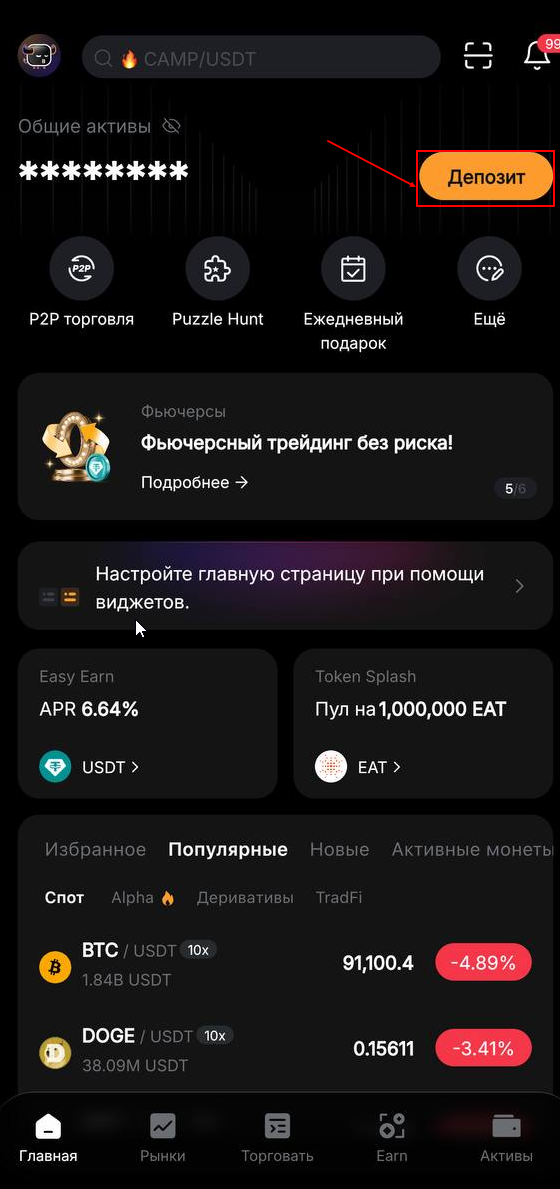
2. Select “P2P Trading” as your payment method — these are direct transactions between platform users.
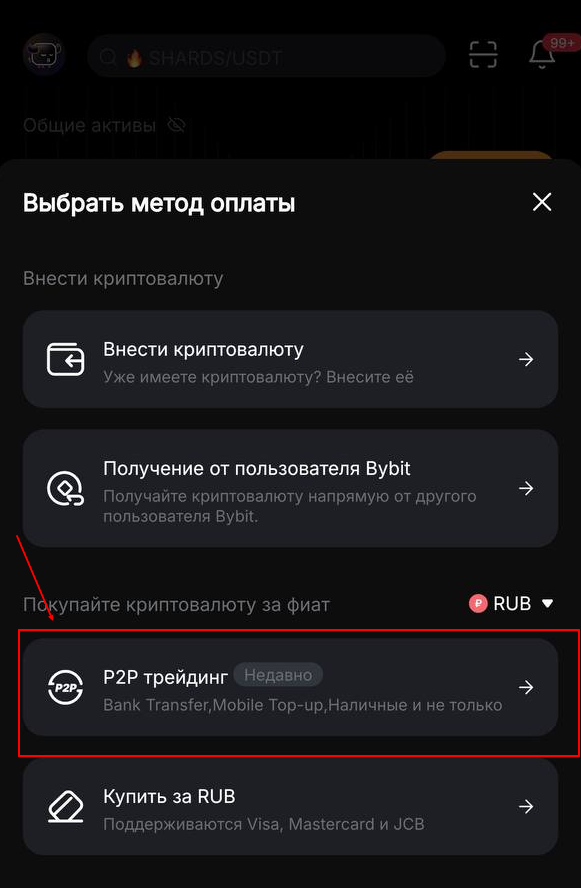
When choosing an offer, we recommend checking the seller's account first to review their feedback and successful transaction rate.
3. Enter the amount you want to trade.
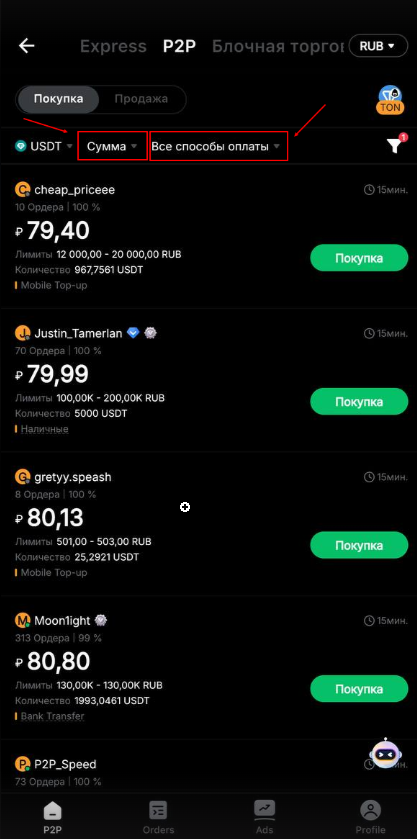
Select a payment method too, if you only want to use a specific bank or method.
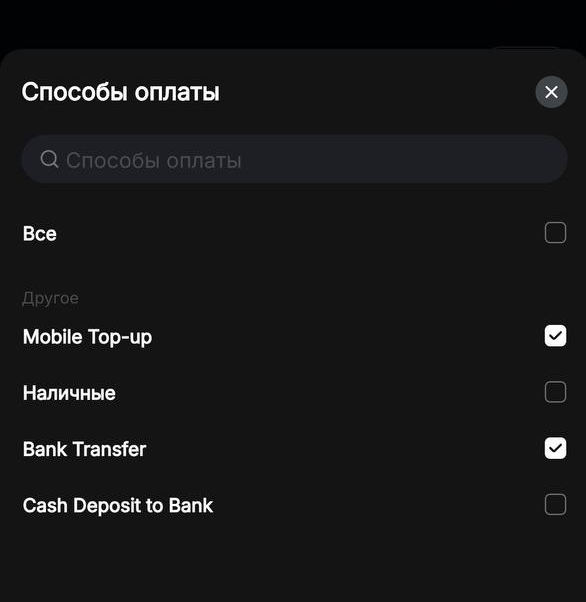
❗IMPORTANT: Before entering a trade (order), carefully read the seller's (maker's) terms. If they don't suit you, simply exit and choose another listing.
4. Once you find a suitable amount and payment method and agree to the terms of the trade, you can tap “Buy”.
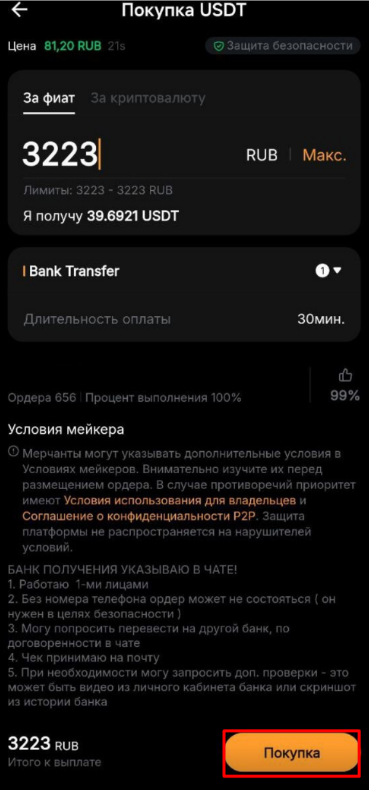
Please note that each cryptocurrency uses its own network and may have different transaction fees. The coin you select will be credited to your Bybit wallet and can be used to make a deposit.
For deposits, we recommend using USDT, as this is a cryptocurrency with a fixed exchange rate pegged to the US dollar.
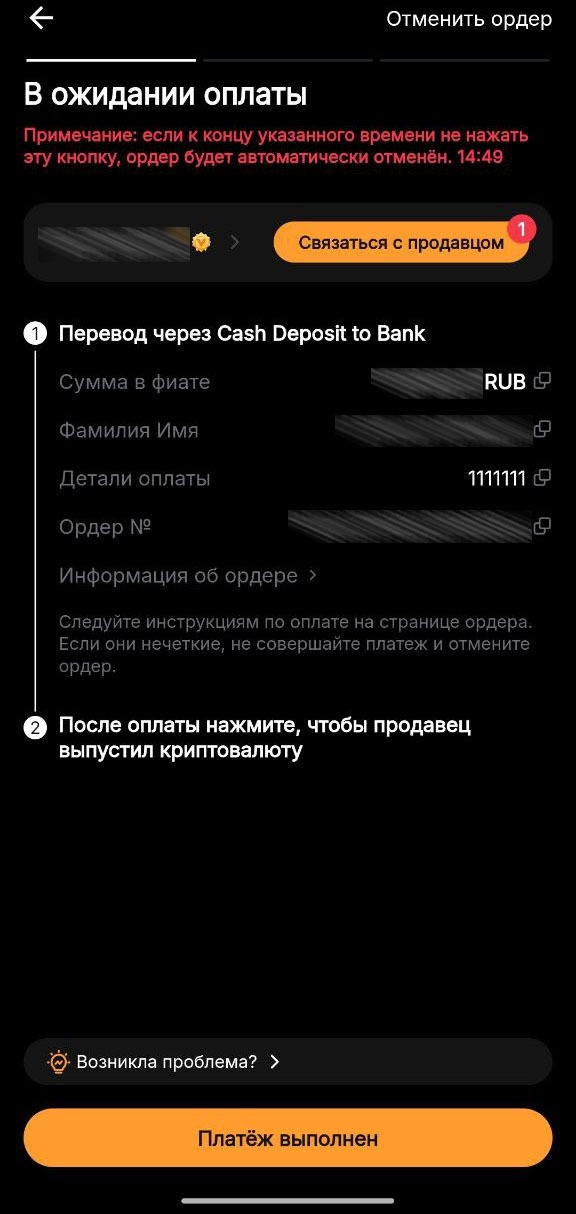
5. Check that the payment details are correct and make the payment. Don't forget to take a screenshot of the receipt—you'll need it later. After paying, click “Payment completed”.
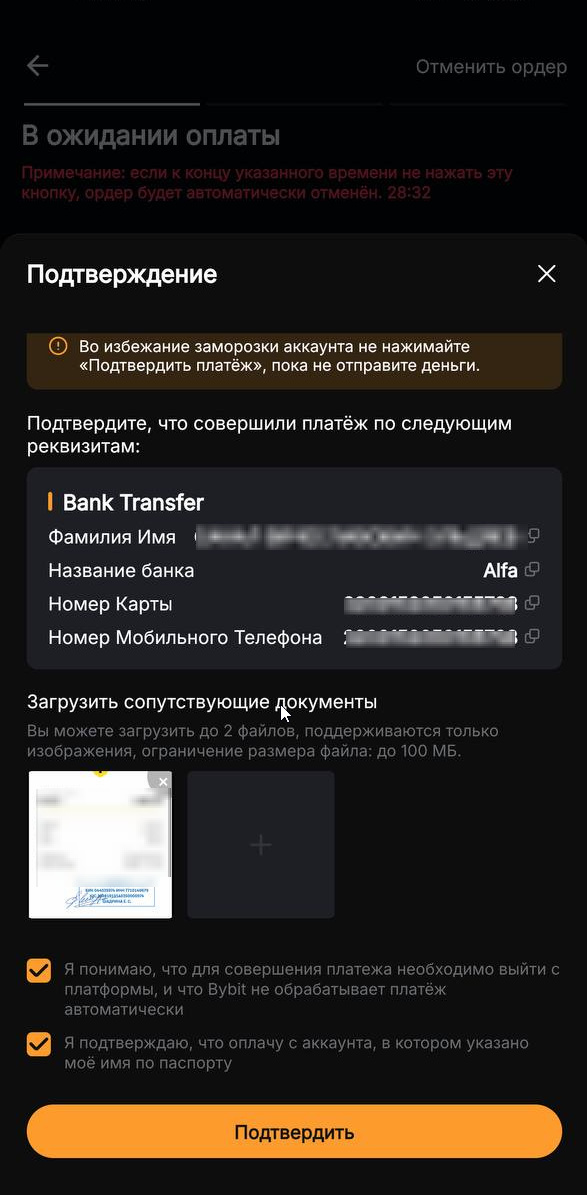
6. Upload the payment receipt and click “Confirm”.
7. The seller will receive a payment notification and automatically transfer the cryptocurrency to you according to the transaction amount. The funds arrive instantly.
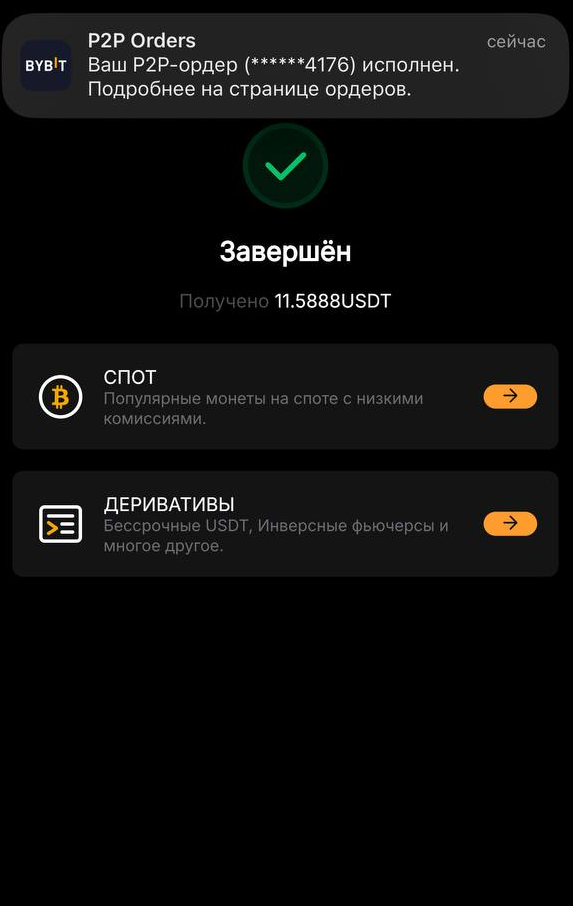
The transaction is handled automatically: you only need to confirm the terms and make the payment. The seller just needs to confirm receipt of the funds.
You can exchange your cryptocurrency for rubles in exactly the same way—the user-friendly interface and guarantees provided by Bybit make the process fast and secure.
How to deposit cryptocurrency on our website
Go to the “Wallet” section.
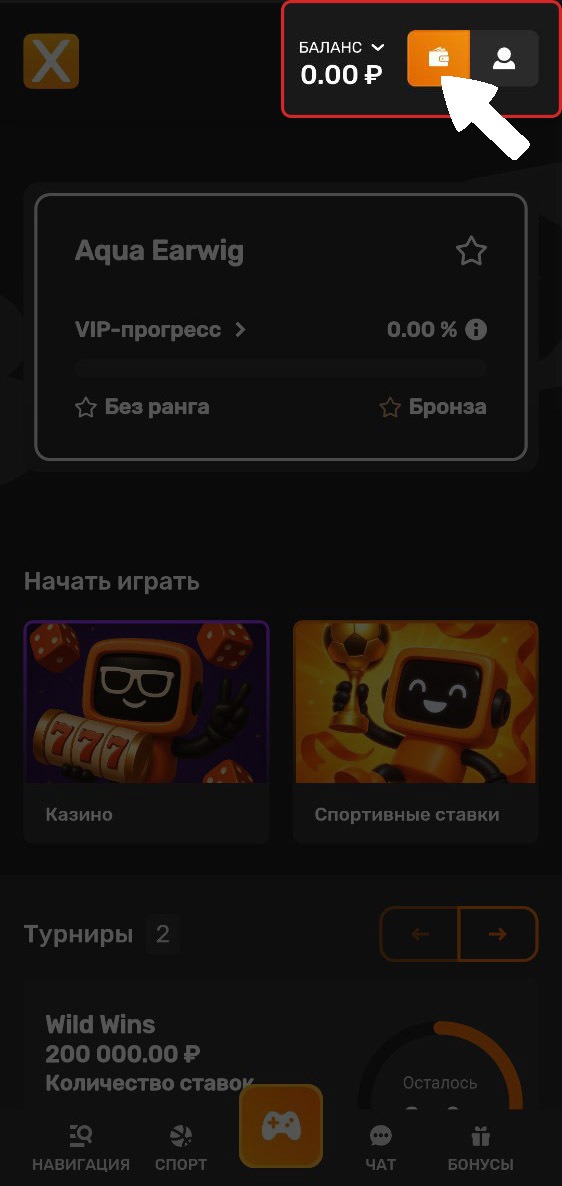
2. Select cryptocurrency deposit and choose your preferred deposit method.
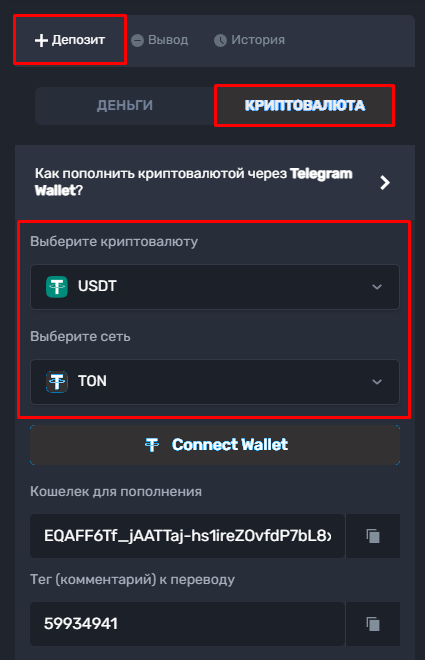
Choose the cryptocurrency and networkyou'll use for the transfer. Otherwise, your funds will be lost permanently.
3. Copy the deposit address
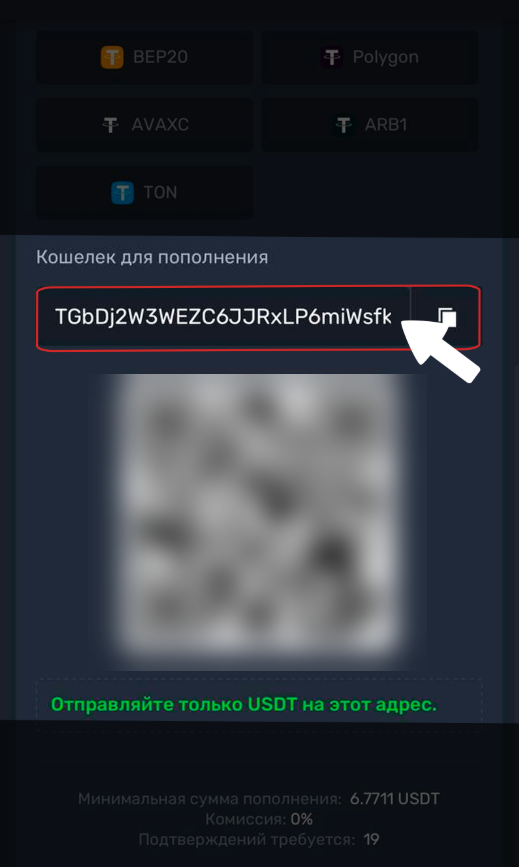
4. Return to the app Bybit and go to the «Assets».
5. Select «Withdraw».
6. Find and select the currency you chose for your deposit. For convenience, tick «Hide zero balances», to display only available assets.
7. Select «On-chain withdrawal»
8. Paste the copied address and select the transfer network.
Pay attention to the withdrawal fees for example:
TRC20 – $2.00
TON – $0.10
ERC20 – $5.00
BSC (Binance Smart Chain) – $0.30
9. Enter the amount you want to transfer.
Double-check that the cryptocurrency and transfer network match the ones you selected on our website. Also check the amount—it must be equal to or greater than the minimum limit. Then click «Withdraw».
Confirm the transaction by entering your PIN or using biometric authentication. The funds will be sent instantly.
💡 Tip
If you have any questions or need more information, please don't hesitate to contact our support team.
We're always happy to help!